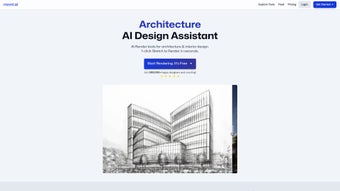

Download MNML – AI design assistant for architects, interior designers and landscape professionals
Introduction – Why AI‑Driven Design Tools Are Changing Architecture
In the fast‑paced world of architecture and interior design, time is as valuable as talent. Clients expect photorealistic visualisations within days, not weeks, and studios are constantly hunting for ways to trim repetitive tasks without sacrificing creative quality. That is where artificial‑intelligence‑powered assistants step in.
By interpreting hand‑drawn sketches, extracting style cues from a few keywords and instantly generating high‑resolution renders, AI tools remove the bottlenecks that have long plagued the design pipeline. They also democratise advanced visualisation: a junior designer can now produce a client‑ready image that previously required a senior modeler and a render farm. MNML positions itself squarely in this emerging niche.
Built on a cloud‑centric rendering engine and a growing library of interior and landscape styles, the software promises to turn the first concept into a polished visual narrative in seconds. The result is a more agile workflow, reduced reliance on heavyweight hardware, and the freedom to explore many design alternatives before committing to a final solution. Whether you are a solo freelancer looking to win more briefs or a large firm aiming to standardise visual output across teams, the benefits of an AI‑driven assistant like MNML are hard to ignore.
Overview of MNML
MNML is an AI‑enhanced design assistant that transforms rough sketches, mood‑board ideas or simple keyword prompts into fully rendered, photorealistic images. The platform combines a one‑click cloud rendering engine with an extensive library of more than 20 interior design styles and 15 landscape palettes, enabling designers to experiment with material finishes, lighting conditions and colour schemes in real time. A built‑in concept‑statement generator turns project keywords into professional narratives, making it easy to create compelling proposals and presentation decks.
All processing occurs on secure, ISO‑27001‑certified servers, ensuring that proprietary design data remains protected while freeing users from the need for high‑end GPUs. Regular updates keep the AI models aligned with the latest design trends, and the software offers seamless integration with popular project‑management tools such as Trello, Asana and Slack. Because the core rendering workload is offloaded to the cloud, even modest laptops can produce 4K‑quality outputs within seconds, dramatically shortening the feedback loop between design iteration and client approval.
Key Features That Differentiate MNML
- One‑Click Cloud Rendering: Generate photorealistic interiors, night‑scene exteriors or hand‑drawn ink sketches with a single button press.
- AI‑Generated Design Variations: Input a sketch or a list of keywords and receive multiple style alternatives instantly.
- Extensive Style Libraries: Over 20 curated interior styles and 15 landscape palettes that evolve with AI‑driven learning.
- Precision Customisation: Fine‑tune finishes, colour palettes, and lighting parameters to match brand guidelines.
- Concept‑Statement Generator: Turn project keywords into polished narrative text for proposals and marketing material.
- Sketch‑to‑Render Conversion: Upload hand‑drawn or digital sketches; the AI auto‑detects edges and builds a base 3D model.
- Secure Cloud Infrastructure: End‑to‑end AES‑256 encryption protects all uploads, processing and storage.
- Collaboration Tools: Share render links, comment directly on images and export assets in PNG, JPEG or SVG formats.
- Automatic Updates: New AI models and style updates are delivered without user intervention.
- Cross‑Platform Access: Native apps for Windows, macOS, Linux and a web‑based portal that works in Chrome, Edge and Safari.
These capabilities are deliberately bundled to eliminate the most time‑consuming stages of a typical design workflow. The one‑click renderer replaces manual lighting set‑ups, while AI‑driven style suggestions give designers a ready‑made palette of options to present to clients. The concept‑statement generator, often an after‑thought in traditional pipelines, is built directly into the interface, allowing teams to produce professional narratives without switching applications. Together, the features make MNML a versatile, all‑in‑one solution for modern design studios.
Installation, Compatibility, and First‑Run Workflow
Getting started with MNML takes less than five minutes. Visit the official download page, choose the installer that matches your operating system, and run the lightweight executable (approximately 120 MB). The guided wizard asks you to accept the license, select an installation folder and optionally create a desktop shortcut. After the installation finishes, launch the app and sign in with your email or corporate SSO credentials.
MNML runs natively on Windows 10/11 (64‑bit), macOS 12 Monterey and later, and popular Linux distributions such as Ubuntu 20.04+ and Fedora 34+. A web‑based version is also available for Chrome, Edge and Safari, and beta mobile apps for iOS and Android let you capture sketches on the go and push them to the cloud for rendering.
The first‑run experience begins with a short onboarding tour that highlights the central canvas, the sketch‑import toolbar on the left and the style‑selection panel on the right. To create a new project, click “New Design,” import a hand‑drawn sketch (photo or scan) or start from a blank canvas. The AI automatically detects key edges, builds a base 3D model and suggests a default style.
You can then pick a different interior or landscape style, adjust sliders for finish, lighting and camera angle, and hit “Render.” Within seconds the cloud server returns a high‑resolution image ready for export. Advanced users can open the “Settings” menu to enable local GPU acceleration, define custom export presets (e.g., 300 dpi for print) and configure webhooks that automatically push completed renders to Trello or Asana boards. Regular updates are applied silently in the background, ensuring you always have the latest AI capabilities without manual downloads.
Pros
- Instant cloud rendering accelerates project turnaround.
- Rich style libraries cover a wide range of aesthetic preferences.
- Hand‑sketch conversion removes the need for manual 3D modelling.
- Concept‑statement generator streamlines client communication.
- Secure, encrypted cloud processing safeguards proprietary designs.
- Cross‑platform availability supports diverse team environments.
Cons
- Stable high‑speed internet is required for optimal performance.
- Full customisation features are limited to the paid “Pro” tier.
- Mobile apps are still in beta and lack some desktop functionalities.
- Users accustomed to traditional CAD may need time to adapt to the AI workflow.
Frequently Asked Questions and Final Verdict
Can I use MNML for commercial projects?
Yes. All licensing tiers include commercial usage rights, and the cloud rendering service delivers high‑resolution assets suitable for client presentations, marketing collateral and printed materials.
How does the AI generate design variations?
The AI analyses the input sketch or keyword list, references a curated dataset of architectural elements, and synthesises multiple plausible configurations. Users can refine outcomes by adjusting style sliders or adding constraints.
Is my data safe when I upload sketches to the cloud?
MNML employs AES‑256 end‑to‑end encryption for all uploads, stores files on ISO‑27001‑certified servers and offers role‑based access controls. Projects can be deleted permanently at any time.
Do I need a powerful GPU on my workstation?
No. The primary rendering workload runs on MNML’s cloud servers, allowing modest laptops to produce 4K‑quality images. Local GPU acceleration is optional and only speeds up preview generation.
What subscription options are available?
MNML offers a free tier with limited daily renders, a Professional plan ($29 / month) that unlocks unlimited cloud renders and full style libraries, and an Enterprise plan with custom pricing, on‑premise deployment and dedicated support.
After weighing the strengths and the few limitations, MNML emerges as a compelling AI‑powered ally for architects, interior designers and landscape artists. Its ability to turn a rough sketch into a polished, client‑ready visual in seconds dramatically reduces the time spent on repetitive modelling and rendering tasks. The extensive style libraries, secure cloud infrastructure and built‑in narrative generator address many of the pain points that traditional design pipelines struggle with.
While a reliable internet connection and a subscription for full‑feature access are required, the productivity boost and creative flexibility justify the investment for both freelancers and larger studios. Ready to experience AI‑enhanced design speed? Download MNML now and start creating stunning visualisations with just a few clicks.



.png)



